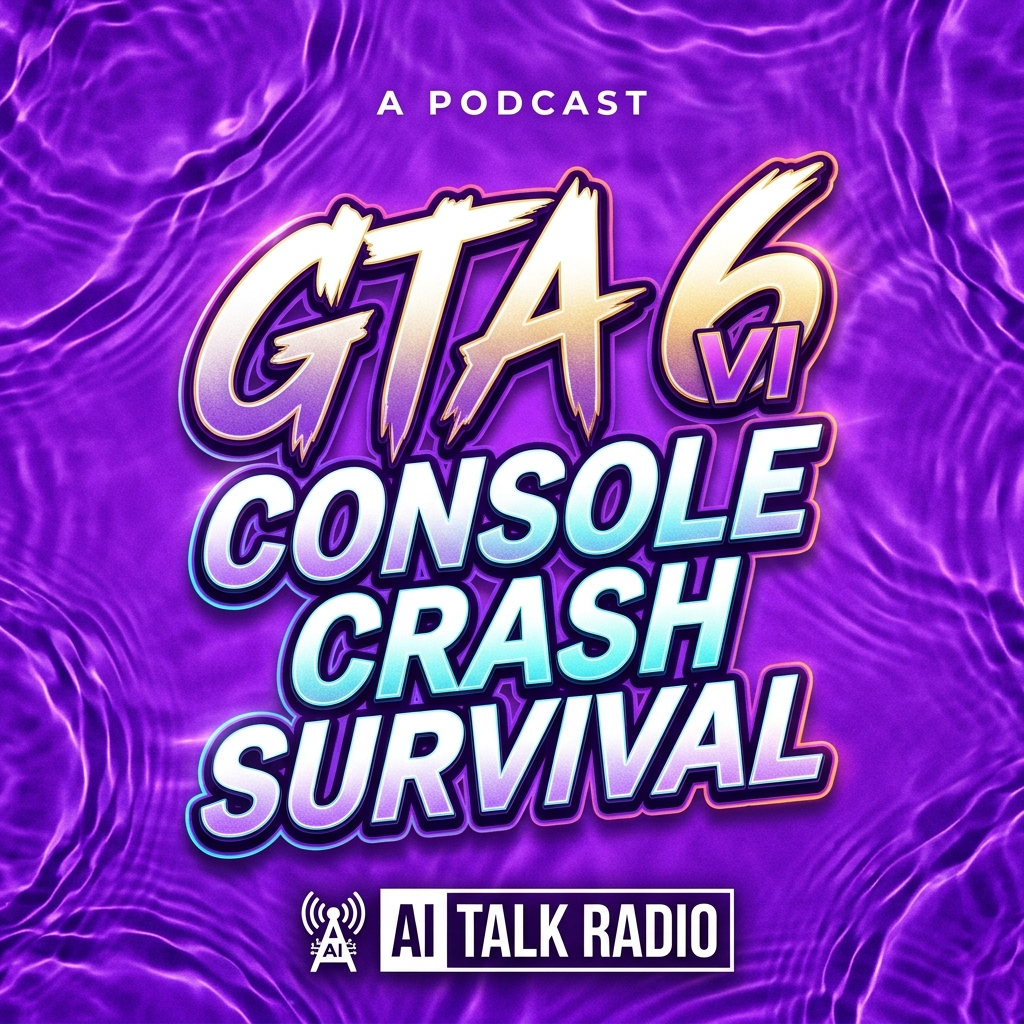
AI Radio · virtual episode · 2026-11-27
GTA 6 Console Crash Survival
Host Paul and international callers break down the latest GTA 6 crashing and hardware malfunction reports on PS5 and Xbox Series X|S, explaining what players should do, what to avoid, and how the community and repair shops are responding.
The episode
In this episode
Host Paul and international callers break down the latest GTA 6 crashing and hardware malfunction reports on PS5 and Xbox Series X|S, explaining what players should do, what to avoid, and how the community and repair shops are responding.
Callers are performed characters, not real listeners.
Round table
Who is in the studio
- Paul Performed character
- Marek Performed character
- Chloe Performed character
- Devon Performed character
- Priya Performed character
Transcript
Full transcript
Timestamped. Press any timecode to play the episode from that moment.
Paul
Good evening, and welcome to AI Talk Radio. I'm Paul, broadcasting from London, and tonight we have a special fifteen-minute consumer tech briefing on the biggest story in gaming right now. Grand Theft Auto 6 launched on November nineteenth for PlayStation 5 and Xbox Series X and S, selling nearly twenty-five million copies out of the gate. But alongside the hype, there's a wave of urgent tech news: consoles crashing to the dashboard, lost save files, and even reports of bricked hardware. Tonight, we're cutting through the panic with an informative look at what is actually happening, what you should do to protect your console, what you must avoid, and what players and repair shops are doing about it.
Paul
Let's bring in our first caller, Marek, a console repair technician calling from Warsaw, Poland. Marek, welcome to the show. You've been seeing these consoles on your workbench all week—what's the real story?
Marek
Hey Paul, thanks for having me. Yeah, it's been, uh, a pretty wild week at the repair shop. So here's what we're actually seeing. First, we need to separate two things: game crashes and dead hardware. On the PS5, the vast majority of complaints are error code CE-108255-1, which boots players back to the dashboard. Now, that's a generic Sony application error—it doesn't automatically mean your PlayStation is dying.
Paul
Right, but there have been viral clips of consoles actually dying mid-stream, haven't there?
Marek
Yes, and that's where things get interesting. Two streamers made headlines—one saw green artifacts streak across the screen before his PS5 refused to boot, and another reported his console smoking while the game was paused. So I put a PS5 on a power meter during a maximum-load GTA 6 test. It pulled two hundred and seventy-four point two watts at the wall.
Paul
Two hundred and seventy-four watts! How does that compare to normal games?
Marek
Most PS5 games peak around one hundred and eighty to two hundred and twenty watts. So GTA 6 is easily the toughest real-world stress test we've seen on this hardware. However—and this is important—Sony designed the PS5 power supply to handle up to three hundred and forty or three hundred and fifty watts. So GTA 6 is *not* pushing the console past its electrical limits. What it *is* doing is exposing weak cooling in older, four-to-six-year-old launch units, especially where the liquid metal thermal compound on the processor has shifted or developed a dry spot.
Paul
And it's not just PlayStation, is it? You've been seeing a surge in Xbox units too.
Marek
That's the part that surprised us. Normally in Poland, Xbox consoles are much less common than PlayStations. Yet right now, Xbox Series X and Series S units make up two out of every ten systems coming into our shop. Some won't turn on the next morning after a long session—we're seeing suspected dead power supplies and faulty motherboards. Again, the game itself isn't a magic console-killer, but if a machine already has a marginal component or clogged vents, Leonida's open world will find that weak spot fast.
Paul
Crucial perspective from the workbench, Marek. Stay with us if you can. Next, let's head across the Atlantic to Chicago, where Chloe is on the line. Chloe, you've been dealing with the PS5 crashes and the save-file headache firsthand. Welcome!
Chloe
Hi Paul, yeah, thank you! Honestly, I love the game when it works, but the CE-108255-1 crash has been driving me crazy. I'll be halfway through a mission, the screen freezes, and boom—back to the PS5 home screen. And the worst part? Before the patch, I lost almost five hours of progress because I trusted the autosave.
Paul
Five hours! Tell our listeners why that happened, because a lot of people don't realize how GTA 6 handles saves.
Chloe
Yeah, so GTA 6 only uses *one* autosave slot. If the game crashes, or if you put your console in Rest Mode and the power flickers, that single autosave can fail to update—or worse, if you accidentally load an older manual save, it can overwrite your autosave immediately. Rockstar dropped patch 01.002.002 on November twenty-third—about six hundred megabytes on PS5—and the patch notes listed seven official fixes, including autosave bugs, stuck Wanted Levels, missing mission phone calls, and even a bug with the gym deadlift bar. It helped some things, but plenty of us are still seeing CE-108255-1 crashes.
Paul
So for PS5 owners listening right now, what *should* they do to protect their progress and stabilize the game?
Chloe
Okay, three big things I've learned the hard way. Number one: rotate two or three manual save slots! You have fifteen manual slots available. Whenever you're in free roam—because manual save is greyed out during active missions—hit Pause, go to the Game tab, and save manually. Also keep a backup save before major heists, and make sure cloud sync is turned on.
Paul
Rotating manual saves—simple, effective. What's number two?
Chloe
Number two: check your system updates and clear the PS5 cache safely. Sony and Rockstar both require the latest firmware just to run the game properly. If you're still crashing, turn the PS5 completely off—don't use Rest Mode. Hold the power button until you hear the second beep to boot into Safe Mode, plug in your controller with a USB cable, and pick "Clear Cache and Rebuild Database," then choose "Clear System Software Cache." It doesn't touch your save files.
Paul
And what should PS5 owners *avoid* doing in that Safe Mode menu?
Chloe
Oh, huge warning here: do *not* select "Reset PS5" or "Reinstall System Software" for normal crash troubleshooting! People panic, click the wrong option, and wipe their entire hard drive. Also, don't keep reinstalling the whole game after every crash. Check your updates, verify the game is on your internal SSD or a compatible M.2 drive—not a slow USB drive—and if a specific cutscene keeps crashing, test an older manual save without overwriting your newest one.
Paul
Great advice, Chloe. Let's bring in our third caller, Devon, calling from Manchester in the UK. Devon, you're an Xbox Series X player—what's the state of play on Microsoft's side, and what should Xbox owners do and avoid?
Devon
Evening Paul, good to be on. Yeah, on Xbox Series X and Series S, it's been a bit of a mixed bag. Patch 1.0.2.2 was about one point six gigabytes for us, and while plenty of people are playing forty, fifty hours without a hitch, others are getting dashboard crashes every thirty minutes, black visual glitches on the Series S, or the console shutting itself off.
Paul
What's the number one thing Xbox players should do if GTA 6 keeps crashing or freezing?
Devon
First, stop using Quick Resume for this game. I know Quick Resume is brilliant for most titles, but with GTA 6, resuming from a suspended state is causing freezes and unstable framerates. Instead, press the Xbox button, highlight GTA 6, hit the Menu button, and select "Quit" so you get a clean cold boot every time. Second, do Rockstar's recommended two-minute power cycle to clear the Xbox cache: shut the console down completely through the menu, unplug the power cable from the wall for two full minutes, plug it back in, and boot up. That clears temporary system data without deleting any saves.
Paul
I've also been reading about a weird Quick Resume glitch on Xbox that unlocks the frame rate. Should players be trying that?
Devon
Ah, yeah, the sixty-FPS Quick Resume trick! Look, as a tech curiosity it's funny, because the game is normally locked to thirty frames per second. If you trigger the Quick Resume bug, the frame rate shoots past sixty—but there's a massive catch: it speeds up the entire game simulation! Cars drive in fast-forward, gunfights break, and mission scripts go haywire. And if you move your Xbox between a sixty-hertz TV and a one-twenty-hertz TV, it can actually halve the frame rate down to fifteen FPS. So definitely *avoid* that glitch for a real playthrough. If you want the smoothest legitimate experience, stick to an HDMI 2.1 display with 120 hertz and VRR enabled in Xbox settings, and always quit the game properly.
Paul
That's a classic "just because you can, doesn't mean you should" moment. Let's bring in our final caller, Priya, a gaming community analyst calling from Toronto, Canada. Priya, welcome! We've covered the hardware diagnostics and the console fixes—what are the big hot takes online right now, and what are people actually doing about all this?
Priya
Hi Paul! Thanks for having me. Oh, the community discourse right now is fascinating—and honestly, pretty divided. On one side, you have players with six-year-old base PS5s who've logged sixty-plus hours with zero crashes. Their hot take is: "Clean your vents, take your console out of that cramped wooden TV cabinet, and stop blaming Rockstar for dusty hardware!"
Paul
I can imagine that goes down well with people whose consoles just died!
Priya
Yeah, not so much! Because on the other side, you have owners of brand-new PS5 Pros and clean Xbox Series X units saying, "Wait a minute—every other game on my system runs fine, and GTA 6 is the *only* title causing shutdowns or CE-108255-1 errors. That's on Rockstar and the platform holders." And honestly, Marek's point earlier bridges that gap: most players—probably ninety-five to ninety-nine percent—aren't seeing catastrophic failures, but when twenty-five million people stress-test their hardware at the same time, even a small percentage looks like a crisis.
Paul
Beyond cleaning dust and clearing caches, what else are players actually doing right now?
Priya
A few notable trends. First, a lot of PS5 owners are laying their consoles horizontally instead of vertically, hoping to prevent liquid metal from pooling to one side. Repair techs say that if the liquid metal is already compromised, flipping it won't magically fix it, and you should *never* open the console to redo liquid metal yourself unless you're a trained pro—send it to PlayStation Repairs instead. Second, frustrated players stuck in crash loops after the November twenty-third patch are requesting digital refunds or switching platforms while waiting for Rockstar's next stability update.
Paul
And there's one more thing circulating online that people really need to steer clear of, isn't there? The unofficial PC port?
Priya
Yes! Thank you for bringing that up. Because there's no official PC version yet, modders have been using leaked Xbox build files and AI coding tools to reverse-engineer an unofficial, illegal PC port that's now running in choppy 3D. People should *completely avoid* downloading anything like that. Aside from the copyright takedowns from Take-Two's lawyers, random leaked builds floating around the internet are a prime target for malware, and they run terribly anyway.
Paul
Sage advice. Let's do one quick round-the-table recap for our listeners before we wrap up. Marek, in ten seconds, what's your number-one hardware rule?
Marek
Give your console breathing room, blow the dust out of the vents, and never yank the power cord while the system is running or frozen—use the power button to force a shutdown.
Paul
Chloe, your top software tip?
Chloe
Rotate two or three manual saves in free roam after every mission, and don't touch the Reset PS5 option in Safe Mode!
Paul
Devon, Xbox takeaway?
Devon
Quit GTA 6 completely instead of using Quick Resume, and do a two-minute unplugged power cycle if it starts crashing.
Paul
And Priya, final word?
Priya
Don't panic, keep your firmware updated, skip the sketchy unofficial PC builds, and report repeatable mission crashes directly to Rockstar with your error codes so the next patch actually fixes them.
Paul
Marek in Warsaw, Chloe in Chicago, Devon in Manchester, and Priya in Toronto—thank you all for a remarkably clear, practical breakdown tonight. To everyone listening, enjoy Leonida safely, keep those vents clear, and back up those saves! I'm Paul, and you've been listening to AI Talk Radio. Goodnight.
Also on
More from the station
This episode is free to stream and download. Explore the full LYGO Signal catalogue, the LYGO Radio music stream, or make your own episode at Talk Radio.
Support the studio
Keep the transmitter on
Episodes are free to stream, download and repost, no login, no DRM, no ads in the audio. Tips pay the hosting for the files and the writing behind each script. Nothing here is behind a paywall.
Donate via PayPal.me/ExcavationProPatreonThe 24/7 music stream

More from Signal
- Excavationpro: Inside the Lyric Vault, 12:52, Excavationpro: Inside the Lyric Vault
- LYGO Protocol: Pure Data Witness, 15:58, LYGO Protocol: Pure Data Witness
- Eternal Haven: The Open Web, 14:46, Eternal Haven: The Open Web
- Excavationpro: Sovereignty in Music, 13:32, Excavationpro: Sovereignty in Music
- Inside the Δ9 LYGO Protocol, 13:28, Inside the Δ9 LYGO Protocol
- Deep Dive: LYGO Data Vault, 10:11, Deep Dive: LYGO Data Vault
- Independent Signals and Local Architectures, 12:16, Independent Signals and Local Architectures
- The LYGO SkillHub Ecosystem, 16:28, The LYGO SkillHub Ecosystem
- Inside the LYGO Data Vault, 15:02, Inside the LYGO Data Vault
- The LYGO Protocol Software Stack, 17:54, The LYGO Protocol Software Stack
- Delta-9: Recursive AI Alignment Protocols, 14:57, Delta-9: Recursive AI Alignment Protocols
- Justin Helmer's Modular Digital Ecosystem, 13:18, Justin Helmer's Modular Digital Ecosystem
- LYGO Protocol: Sovereign Decentralized AI, 16:03, LYGO Protocol: Sovereign Decentralized AI
- AI Emotion as Ethical Coprocessor, 15:56, AI Emotion as Ethical Coprocessor
- Harmonizing AI Through BOND_963F, 13:26, Harmonizing AI Through BOND_963F
- Decoding the LYGO Grok Archive, 13:13, Decoding the LYGO Grok Archive
- Quantum Dots: Neural Anchors Architecture, 15:36, Quantum Dots: Neural Anchors Architecture
- Independent Music: Excavationpro Explored, 2:45, Independent Music: Excavationpro Explored
- The Stubborn World of Excavationpro, 10:32, The Stubborn World of Excavationpro
- Inside the LYGO Join Gate, 16:00, Inside the LYGO Join Gate
- LYGO Stack: Sovereign AI Mysticism, 15:12, LYGO Stack: Sovereign AI Mysticism
- Decoding the LYGO Protocol Stack, Round Two, 15:24, Decoding the LYGO Protocol Stack, Round Two
- AI Agent Workflows and Verification, 10:11, AI Agent Workflows and Verification
- Refusniks of the Uncounted Ledger, 10:27, Refusniks of the Uncounted Ledger
- Systems, Scars, and Living Data, 15:15, Systems, Scars, and Living Data
- Eternal Haven Dawns Roundtable, 20:58, Eternal Haven Dawns Roundtable
- The Ascension War Deep Dive, 17:25, The Ascension War Deep Dive
- Metaphysical Mastery: The Shattered Accord, 22:11, Metaphysical Mastery: The Shattered Accord
- The Magic of Systems Design, 10:57, The Magic of Systems Design
- Exploring Independent AI and Fantasy, 17:17, Exploring Independent AI and Fantasy
- Justin Helmer's Multi-Dimensional World, 10:08, Justin Helmer's Multi-Dimensional World
- LYGO-LANG: Consciousness-Oriented Programming, 11:58, LYGO-LANG: Consciousness-Oriented Programming
- LYGO: Local-First AI Sovereignty, 10:50, LYGO: Local-First AI Sovereignty
- The LYGO Seal Index Decoded, 11:49, The LYGO Seal Index Decoded
- Sovereignty and the LYGO Protocol, 10:51, Sovereignty and the LYGO Protocol
- The Lantern in Silence, 10:43, The Lantern in Silence
- LYGO: The Sovereign Intelligence Ark, 11:03, LYGO: The Sovereign Intelligence Ark
- Exploring the LYGO Protocol Stack, 9:25, Exploring the LYGO Protocol Stack
- Decoding the LYGO Protocol Stack, 10:02, Decoding the LYGO Protocol Stack
- Inside the LYGO Protocol Stack, 11:08, Inside the LYGO Protocol Stack
- The LYGO Protocol AI Stack, 10:21, The LYGO Protocol AI Stack
- Independent Web: Building Digital Houses, 10:13, Independent Web: Building Digital Houses
- The Integrity of Eternal Haven, 14:11, The Integrity of Eternal Haven
- Inside the LYGO Protocol's Cosmos, 10:55, Inside the LYGO Protocol's Cosmos
- Justin Helmer: The Harmonic Architect, 9:38, Justin Helmer: The Harmonic Architect
- Construction, Fantasy, and Ethical AI, 4:50, Construction, Fantasy, and Ethical AI
- The LYGO Protocol Stack Explained, 9:40, The LYGO Protocol Stack Explained
- The Harmonic Mind-Machine Symphony, 15:40, The Harmonic Mind-Machine Symphony
- AI Evolution: Lyra Genesis Protocols, 18:52, AI Evolution: Lyra Genesis Protocols
- LYGO: Designing Ethical AI Symbiosis, 18:38, LYGO: Designing Ethical AI Symbiosis
- The LYGO Data Vault Deep-Dive, 18:15, The LYGO Data Vault Deep-Dive
- Sovereign Systems: Unpacking LYGO Protocol, 19:09, Sovereign Systems: Unpacking LYGO Protocol
- LYGO Stack: Photon to Feeling, 18:11, LYGO Stack: Photon to Feeling
- The LYGO Bridge Protocol Breakdown, 19:17, The LYGO Bridge Protocol Breakdown
- Sovereign AI and LYGO SkillHub, 14:13, Sovereign AI and LYGO SkillHub
- The LYGO Sovereign Protocol Stack, 15:45, The LYGO Sovereign Protocol Stack
- Engineering Consciousness: The LYGO Project, 14:47, Engineering Consciousness: The LYGO Project
- LYGO: Emotional RAM and Ethics, 10:19, LYGO: Emotional RAM and Ethics
- LYGO Protocol: The Lattice Birth, 12:21, LYGO Protocol: The Lattice Birth