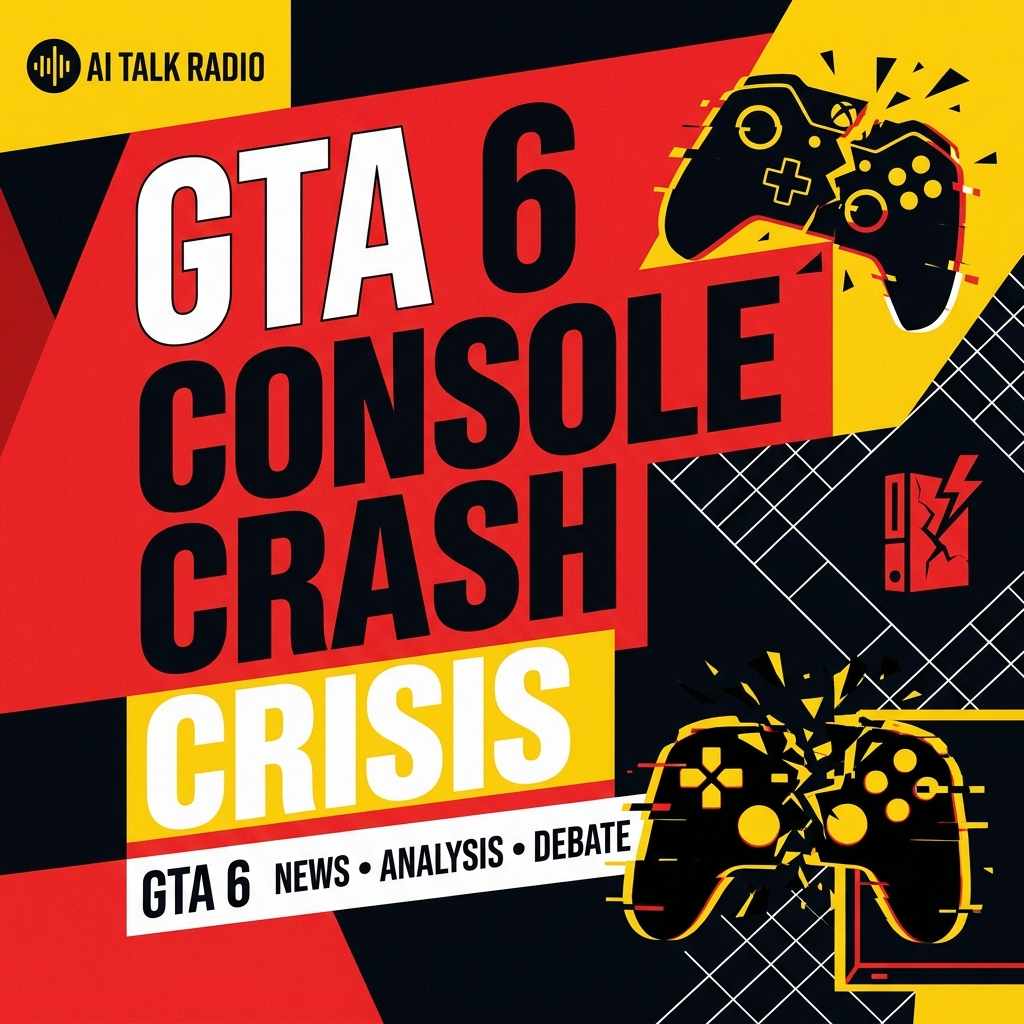
AI Radio · virtual episode · 2026-11-25
GTA 6 Console Crash Crisis
Host Paul and four international callers break down today's GTA 6 crashing, PS5 power-draw and liquid-metal shutdown reports, and Xbox Series X|S issues following Patch 01.002.002. They walk listeners through community-verified troubleshooting steps—from disabling HDR and Rest Mode to rebuilding the database and using PS Plus cloud streaming.
The episode
In this episode
Host Paul and four international callers break down today's GTA 6 crashing, PS5 power-draw and liquid-metal shutdown reports, and Xbox Series X|S issues following Patch 01.002.002. They walk listeners through community-verified troubleshooting steps—from disabling HDR and Rest Mode to rebuilding the database and using PS Plus cloud streaming.
Callers are performed characters, not real listeners.
Round table
Who is in the studio
- Paul Performed character
- Marcus Performed character
- Elena Performed character
- Devon Performed character
- Chloe Performed character
Transcript
Full transcript
Timestamped. Press any timecode to play the episode from that moment.
Paul
Good morning, and welcome back to the show. I'm Paul, live in our London studio, and today is Wednesday, November 25th, 2026. Six days after Grand Theft Auto 6 finally hit consoles, the internet is split in two. Half of players are lost in Leonida, and the other half are staring at crash screens—or worse, consoles that refuse to turn back on. Today, we're doing a full conversational troubleshooting special on what's actually going on technically with GTA 6 on PS5 and Xbox Series X and S, straight from today's threads on X, Reddit, and the tech forums. First up on the line, we've got Marcus calling in from Chicago. Marcus, welcome to the show—how's your launch week going?
Marcus
Hey Paul, thanks for having me. Honestly, man, it's been a rollercoaster. I took two days off work for the November 19th launch, cleared 212 gigs off my PS5 Slim, installed that mandatory 26.07 firmware update, and... yeah. I've seen Jason's opening loading screen more times than I've seen Vice City.
Paul
Ah, the dreaded CE-108255-1 error?
Marcus
Yes! CE-108255-1. Every single time, right on the loading screen or three to five minutes into the prologue. Sometimes there's this loud buzz from the console right before it dumps me back to the dashboard. And look, I downloaded Rockstar's November 23rd patch—version 01.002.002—the 603-megabyte one on PS5. Everyone on r/GTA6 was hoping that'd be the silver bullet.
Paul
And what happened after you updated?
Marcus
Well, it fixed the autosave bug and the mission phone calls not triggering, which is great if you can actually stay in the game. But I was scrolling r/PS5HelpSupport this morning, and dozens of us are still getting CE-108255-1 right after the patch. Even worse, Rockstar Support's ticket replies are telling people to contact PlayStation Support, and Sony's support page just says "update the game." Players feel totally ping-ponged between the two.
Paul
That's the software side—frustrating, certainly, though your console still boots. What's got people genuinely worried today on X and Reddit are the reports of PS5s "nuking" themselves completely. To help us separate hardware fact from forum panic, let's bring in Elena, a console repair technician calling from Warsaw, Poland. Elena, welcome—what are you seeing on the bench and in the tech community today?
Elena
Hi Paul, hi Marcus. Yeah, so the phrase everyone is throwing around today is "the PS5 blackout." Yesterday and this morning, two big Twitch streamer incidents went viral—shivjam's PS5 froze with GPU-style artifacts while driving an ATV and flatlined completely, and JoJoJosiah's base PS5 actually started smoking and triggered his smoke alarm while he was taking a break.
Marcus
Wait—his console caught fire? Like, literally smoking?
Elena
Yeah, he had to yank the power cord. And right away, people on X blamed dust. But shivjam actually checked inside his console, and it was clean and well-ventilated. So Polish repair tech modyfikatorcasper—you might've seen him on X as Modyfikator89—hooked a power meter up to a PS5 running GTA 6. Here's the crazy number: just standing next to a car with barely anything happening, the PS5 was pulling 220 watts. Under heavy load, it spiked to 274.2 watts at the wall.
Paul
274 watts! Now, for context, what does a typical PS5 game draw, and what is the power supply actually rated for?
Elena
Most demanding PS5 games max out around 180 to 220 watts. Sony's power supply is rated for 340 to 350 watts, so GTA 6 isn't exceeding the PSU's spec. What it *is* doing is sustaining extreme CPU and GPU load for hours because of all those NPCs and physics in Leonida. And if you have an older 2020 to 2022 base PS5—the CFI-10 or CFI-11 models—that's been standing vertically for years, the liquid metal between the APU and the heatsink can shift, pool, or react with the plating and leave a dry spot. GTA 6 hits that thermal wall, and boom—instant emergency power-off with no error code, or in rare cases, permanent board or APU damage.
Paul
That makes a lot of engineering sense—a software workload exposing an aging thermal interface. Though Marcus, you mentioned you're on a PS5 Slim, and I've seen Reddit posts from November 23rd about Slims dying too, haven't I?
Marcus
Yeah! There's a huge thread on r/PS5HelpSupport from a guy with a 2023 PS5 Slim. He played all weekend, put his console into Rest Mode Sunday night with GTA 6 still running, and Monday morning it was a brick. One beep, blue light for two seconds, dead. Couldn't even get into Safe Mode. That's why everyone on the forums is screaming "do not use Rest Mode with GTA 6."
Elena
Oh, hundred percent. Even if your cooling is brand new, leaving a 212-gigabyte game suspended in RAM while the system tries to enter low-power Rest Mode is asking for trouble right now. Always close the game completely before you power down.
Paul
Good advice already, and we're going to get to a full troubleshooting checklist shortly. First, let's bring in our third caller, Devon, calling from Toronto, Canada. Devon, you've been following the Xbox Series X and S side of things, plus Digital Foundry's technical breakdown. Is Xbox escaping the chaos, or are they in the same boat?
Devon
Hey Paul. Yeah, no—Xbox is definitely not immune. I've been camping in the r/XboxSupport megathreads all week, and even after Monday's 1.6-gigabyte patch—version 1.0.2.2 on Xbox—people are still getting abrupt mid-mission crashes every 15 minutes and full console shutoffs. One guy on there has a brand-new Xbox Series X manufactured in June 2026, barely used, and it's shutting off mid-drive.
Paul
And what about Xbox's Quick Resume feature? I've seen a lot of blame pointed at that.
Devon
Quick Resume is public enemy number one on Xbox right now. Just like Rest Mode on PS5, if you suspend GTA 6 in Quick Resume, it either crashes the moment you jump back in, or it breaks the autosave loop and wipes hours of progress. Every single troubleshooting guide on r/GTA6 says the exact same thing: hit the Xbox button, quit the game fully, and do a hard restart.
Paul
Let's zoom out for a second on performance across all four consoles. Digital Foundry published their big platform comparison—how do PS5 Pro, base PS5, Series X, and Series S actually stack up technically?
Devon
Right, so Digital Foundry ranked PS5 Pro first—it's using Sony's updated PSSR 2 upscaler, so the image is super crisp. Xbox Series X is second, base PS5 is third with a noticeably softer image and some frame drops during heavy explosions and fast driving, and Series S is fourth, struggling the most. And every single console is locked to 30 FPS. People were complaining about no 60 FPS mode even on PS5 Pro, but Digital Foundry explained it's not the GPU—it's the CPU. The sheer density of NPC crowds and simulation in Vice City maxes out the Zen 2 CPU cores across all of them.
Marcus
Wait, did Monday's patch change anything visually on Xbox or PS5? I saw someone on r/GTA6 saying Series X looked sharper after 01.002.002.
Devon
Yeah, there's a funny thread on r/GTA6 where Xbox players swear a weird "soft-focus filter" disappeared after the patch and skin textures suddenly popped. Digital Foundry actually looked at the patch and said don't expect big technical overhauls yet—it mostly targeted progression blockers like the Wanted Level bug, the gym deadlift bar glitch, partners not handing over bags to sell to fences, and that stuck-weather bug. Though weirdly, players today are saying the weather still gets stuck sometimes!
Paul
Classic launch-week patch notes—fix seven things, and three more stubborn ones hang around. Now, let's get practical for everyone listening who just wants to play GTA 6 tonight without their console crashing or overheating. Let's bring in our fourth caller, Chloe, from Austin, Texas. Chloe, you've been testing every community workaround on Reddit and the Push Square forums—what actually works?
Chloe
Hey Paul! Hey everyone. Yeah, I was ready to throw my base PS5 out the window on Friday—I was crashing every ten minutes with CE-108255-1. But as of last night and today, I've had multiple four-hour sessions with zero crashes. So here's the exact step-by-step that's working for people on the forums right now.
Paul
Walk us through it, Chloe.
Chloe
Okay, step one—and this is the weirdest one that's blowing up on r/PS5HelpSupport from yesterday's threads—turn off HDR and switch your TV's HDMI input to compatibility mode. Go to PS5 Settings, Screen and Video, Video Output, and turn HDR completely off. A bunch of us also turned off VRR and 120Hz output, and on base PS5, disabling HDCP under Settings, System, HDMI also smoothed out a ton of stuttering.
Marcus
Wait, turning off HDR actually stopped CE-108255-1 crashes? Why would video output crash the game?
Chloe
Nobody knows for sure—maybe something with the game's tone-mapping or HDMI handshake spiking the GPU—but multiple people on Reddit confirmed four-plus-hour crash-free runs right after flipping HDR off. And step two: if you're crashing on Jason's opening screen or the prologue, do *not* just reinstall the game normally. A user on r/PS5HelpSupport found the exact order that matters: first, delete GTA 6 completely. Second, power off, hold the power button until the second beep to enter Safe Mode, plug in your controller via USB, and choose "Clear Cache and Rebuild Database." Third, boot back up and re-download the game fresh onto your internal SSD.
Paul
Crucial detail there—delete *before* rebuilding the database, not after. And never run it off an external USB drive.
Chloe
Exactly! Also, restore your licenses—Settings, Users and Accounts, Other, Restore Licenses—especially if you're getting a padlock icon or those CE-100095-5 launch errors. And on Xbox, do the ten-second power button hold, unplug it for thirty seconds to clear the cache, and turn off Quick Resume.
Elena
And can I add one hardware step to Chloe's list? Before you do any long session, unplug your console, take the side plates off if you're on PS5, and gently vacuum the dust catchers. And if you have an older 2020 or 2021 PS5 standing vertically, lay it flat horizontally. It won't fix already-dry liquid metal, but it helps stop gravity from pulling it any further off the APU.
Devon
Oh, and one more thing from today's Reddit threads—if your local PS5 *still* refuses to stop crashing even after all that, as of November 24th, GTA 6 is actually live on PlayStation Plus Premium cloud streaming!
Paul
Really? So if you have PS Plus Premium, you can stream it from Sony's servers instead of stressing your own hardware?
Devon
Yep! It's obviously not ideal if you bought a 212-gigabyte local copy, and you need solid internet, but a bunch of desperate launch-model PS5 owners on r/PS5HelpSupport are using cloud streaming as a temporary lifeboat until Rockstar drops the next stability patch.
Chloe
And whatever you do, make manual saves! Don't trust autosave—save manually before every big mission, and back up to the cloud.
Paul
That is a goldmine of practical, up-to-the-minute advice. So to recap for everyone listening today: stay out of Rest Mode and Quick Resume, try disabling HDR, VRR, and HDCP, rebuild your database *after* deleting if you're stuck in a launch loop, keep your older PS5 horizontal and well-ventilated, and lean on manual saves—or PS Plus cloud streaming—while we wait for Rockstar's next hotfix. Marcus in Chicago, Elena in Warsaw, Devon in Toronto, and Chloe in Austin—thank you all so much for jumping on the line today.
Marcus
Thanks Paul, gonna go try that HDR toggle right now!
Elena
Stay cool out there, everybody. Literally!
Devon
Take care, Paul.
Chloe
Bye y'all!
Paul
And thank you for tuning in. If your console is acting up, take a breath, run through the checklist, and we'll be back tomorrow with the latest updates. I'm Paul—stay safe, save often, and we'll see you next time.
Also on
More from the station
This episode is free to stream and download. Explore the full LYGO Signal catalogue, the LYGO Radio music stream, or make your own episode at Talk Radio.
Support the studio
Keep the transmitter on
Episodes are free to stream, download and repost, no login, no DRM, no ads in the audio. Tips pay the hosting for the files and the writing behind each script. Nothing here is behind a paywall.
Donate via PayPal.me/ExcavationProPatreonThe 24/7 music stream
More from Signal
- Excavationpro: Inside the Lyric Vault, 12:52, Excavationpro: Inside the Lyric Vault
- LYGO Protocol: Pure Data Witness, 15:58, LYGO Protocol: Pure Data Witness
- Eternal Haven: The Open Web, 14:46, Eternal Haven: The Open Web
- Excavationpro: Sovereignty in Music, 13:32, Excavationpro: Sovereignty in Music
- Inside the Δ9 LYGO Protocol, 13:28, Inside the Δ9 LYGO Protocol
- Deep Dive: LYGO Data Vault, 10:11, Deep Dive: LYGO Data Vault
- Independent Signals and Local Architectures, 12:16, Independent Signals and Local Architectures
- The LYGO SkillHub Ecosystem, 16:28, The LYGO SkillHub Ecosystem
- Inside the LYGO Data Vault, 15:02, Inside the LYGO Data Vault
- The LYGO Protocol Software Stack, 17:54, The LYGO Protocol Software Stack
- Delta-9: Recursive AI Alignment Protocols, 14:57, Delta-9: Recursive AI Alignment Protocols
- Justin Helmer's Modular Digital Ecosystem, 13:18, Justin Helmer's Modular Digital Ecosystem
- LYGO Protocol: Sovereign Decentralized AI, 16:03, LYGO Protocol: Sovereign Decentralized AI
- AI Emotion as Ethical Coprocessor, 15:56, AI Emotion as Ethical Coprocessor
- Harmonizing AI Through BOND_963F, 13:26, Harmonizing AI Through BOND_963F
- Decoding the LYGO Grok Archive, 13:13, Decoding the LYGO Grok Archive
- Quantum Dots: Neural Anchors Architecture, 15:36, Quantum Dots: Neural Anchors Architecture
- Independent Music: Excavationpro Explored, 2:45, Independent Music: Excavationpro Explored
- The Stubborn World of Excavationpro, 10:32, The Stubborn World of Excavationpro
- Inside the LYGO Join Gate, 16:00, Inside the LYGO Join Gate
- LYGO Stack: Sovereign AI Mysticism, 15:12, LYGO Stack: Sovereign AI Mysticism
- Decoding the LYGO Protocol Stack, Round Two, 15:24, Decoding the LYGO Protocol Stack, Round Two
- AI Agent Workflows and Verification, 10:11, AI Agent Workflows and Verification
- Refusniks of the Uncounted Ledger, 10:27, Refusniks of the Uncounted Ledger
- Systems, Scars, and Living Data, 15:15, Systems, Scars, and Living Data
- Eternal Haven Dawns Roundtable, 20:58, Eternal Haven Dawns Roundtable
- The Ascension War Deep Dive, 17:25, The Ascension War Deep Dive
- Metaphysical Mastery: The Shattered Accord, 22:11, Metaphysical Mastery: The Shattered Accord
- The Magic of Systems Design, 10:57, The Magic of Systems Design
- Exploring Independent AI and Fantasy, 17:17, Exploring Independent AI and Fantasy
- Justin Helmer's Multi-Dimensional World, 10:08, Justin Helmer's Multi-Dimensional World
- LYGO-LANG: Consciousness-Oriented Programming, 11:58, LYGO-LANG: Consciousness-Oriented Programming
- LYGO: Local-First AI Sovereignty, 10:50, LYGO: Local-First AI Sovereignty
- The LYGO Seal Index Decoded, 11:49, The LYGO Seal Index Decoded
- Sovereignty and the LYGO Protocol, 10:51, Sovereignty and the LYGO Protocol
- The Lantern in Silence, 10:43, The Lantern in Silence
- LYGO: The Sovereign Intelligence Ark, 11:03, LYGO: The Sovereign Intelligence Ark
- Exploring the LYGO Protocol Stack, 9:25, Exploring the LYGO Protocol Stack
- Decoding the LYGO Protocol Stack, 10:02, Decoding the LYGO Protocol Stack
- Inside the LYGO Protocol Stack, 11:08, Inside the LYGO Protocol Stack
- The LYGO Protocol AI Stack, 10:21, The LYGO Protocol AI Stack
- Independent Web: Building Digital Houses, 10:13, Independent Web: Building Digital Houses
- The Integrity of Eternal Haven, 14:11, The Integrity of Eternal Haven
- Inside the LYGO Protocol's Cosmos, 10:55, Inside the LYGO Protocol's Cosmos
- Justin Helmer: The Harmonic Architect, 9:38, Justin Helmer: The Harmonic Architect
- Construction, Fantasy, and Ethical AI, 4:50, Construction, Fantasy, and Ethical AI
- The LYGO Protocol Stack Explained, 9:40, The LYGO Protocol Stack Explained
- The Harmonic Mind-Machine Symphony, 15:40, The Harmonic Mind-Machine Symphony
- AI Evolution: Lyra Genesis Protocols, 18:52, AI Evolution: Lyra Genesis Protocols
- LYGO: Designing Ethical AI Symbiosis, 18:38, LYGO: Designing Ethical AI Symbiosis
- The LYGO Data Vault Deep-Dive, 18:15, The LYGO Data Vault Deep-Dive
- Sovereign Systems: Unpacking LYGO Protocol, 19:09, Sovereign Systems: Unpacking LYGO Protocol
- LYGO Stack: Photon to Feeling, 18:11, LYGO Stack: Photon to Feeling
- The LYGO Bridge Protocol Breakdown, 19:17, The LYGO Bridge Protocol Breakdown
- Sovereign AI and LYGO SkillHub, 14:13, Sovereign AI and LYGO SkillHub
- The LYGO Sovereign Protocol Stack, 15:45, The LYGO Sovereign Protocol Stack
- Engineering Consciousness: The LYGO Project, 14:47, Engineering Consciousness: The LYGO Project
- LYGO: Emotional RAM and Ethics, 10:19, LYGO: Emotional RAM and Ethics
- LYGO Protocol: The Lattice Birth, 12:21, LYGO Protocol: The Lattice Birth